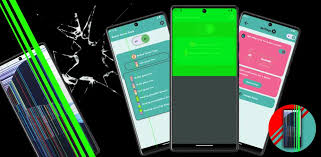
Screen Prank Broken LCD Joke App is a fun entertainment application designed to create a fake broken-screen effect on an Android smartphone. It can make the display appear cracked, damaged, or malfunctioning without actually damaging the phone.
These prank apps are mainly created for entertainment. Users can show the fake broken display to friends or family and create a funny reaction. The effect is usually simulated through an image, animation, sound effect, or touch-triggered screen effect.
In this guide, we will discuss what a broken screen prank app is, how it works, its features, benefits, safety considerations, and some creative ways to use it.
What Is a Screen Prank Broken LCD App?
A Screen Prank Broken LCD app is an entertainment tool that simulates a damaged smartphone screen.
After activating the effect, the screen may display realistic-looking cracks, broken glass, LCD damage, or other visual effects. Some applications can also add sound effects to make the prank appear more convincing.
The important point is that the effect is software-based. It does not physically break the phone’s screen.
This makes it possible to create a convincing prank without causing actual hardware damage.
How Does a Broken LCD Prank Work?
Most broken-screen prank applications work by displaying a simulated image or animation over the smartphone interface.
A typical process looks like this:
- Open the prank application.
- Select a broken-screen effect.
- Choose when the effect should appear.
- Activate the prank.
- Show the phone to your friend.
- Disable the effect when the prank is finished.
Some apps may provide touch-based triggers. For example, a fake crack might appear when the user taps the screen or shakes the device.
The exact features depend on the application and Android version.
Main Features of Screen Prank Broken LCD Joke App
Realistic Broken Screen Effects
The main attraction is the simulated broken-screen effect.
Depending on the application, users may find different designs, including:
- Cracked glass
- Broken LCD
- Spider-web cracks
- Display damage
- Black screen effects
- Color distortion
- Flickering display
- Fake scratches
These effects can make the prank look more realistic.
Touch-Based Pranks
Some broken-screen prank apps allow users to trigger an effect when the screen is touched.
This can make the prank more entertaining because the other person may believe that touching the display caused the damage.
Shake-to-Crack Effect
Some applications provide a shake feature.
When the phone is shaken, a fake crack can suddenly appear.
This is a simple way to surprise someone without requiring complicated setup.
Sound Effects
Sound can make a prank considerably more convincing.
Some applications may provide glass-breaking or cracking sounds when the effect activates.
Users can adjust the volume or disable sound depending on the situation.
Different Crack Designs
A good broken screen prank app may provide multiple visual designs.
Users can choose an effect according to the type of prank they want to create.
Easy Activation
These applications are generally designed to be simple.
You don’t need advanced technical knowledge to create a fake broken LCD effect.
Benefits of Using a Broken Screen Prank App
Safe Entertainment
The biggest advantage is that the phone does not actually need to be damaged.
The broken display is only a visual simulation.
Fun With Friends
The app can create funny moments with friends, siblings, and family members.
Easy to Use
Most prank applications require only a few taps to activate an effect.
Multiple Effects
Different crack and damage designs can keep the prank interesting.
No Physical Damage
Because the effect is software-generated, it doesn’t require dropping or physically damaging a smartphone.
Creative Prank Ideas
There are several harmless ways to use a fake broken LCD effect.
The Dropped Phone Prank
One classic idea is to activate the fake broken-screen effect and then tell your friend that the phone was accidentally dropped.
After they react, reveal that the display is only a prank.
The Broken Screen Surprise
Hand your phone to a friend and ask them to check something.
Once they start using it, activate the fake broken-screen effect.
The sudden change can create a funny reaction.
Family Prank
You can use the effect with family members as a lighthearted joke.
However, avoid causing unnecessary panic or stress.
Social Media Content
Content creators can also use fake broken-screen effects in short videos, comedy clips, and prank content.
The effect can make a simple scene more entertaining.
Screen Prank Apps for Content Creators
Prank applications can also be useful for creating short-form entertainment content.
Creators can use fake screen damage as part of:
- Comedy videos
- Reaction videos
- Short-form videos
- Prank clips
- Smartphone-related skits
The advantage is that the creator can produce a broken-screen scene without actually damaging expensive hardware.
Is a Broken LCD Prank Real?
No.
The broken LCD displayed by these applications is normally a simulated visual effect.
The phone’s actual screen remains physically intact.
If the application is removed or the effect is disabled, the original display should return to normal.
However, users should always understand what permissions an application requests before giving it access to their device.
Does the App Actually Break the Screen?
No legitimate software application can physically crack your phone’s glass simply by displaying an image.
A broken-screen prank is a visual simulation.
Real screen damage requires physical impact or a genuine hardware problem.
Therefore, these apps should be considered entertainment applications rather than repair or diagnostic tools.
Permissions and Privacy
Users should pay attention to permissions requested by prank applications.
A simple screen-effect application may need certain permissions to display an effect over other applications, depending on how it works.
However, unnecessary permissions should be treated cautiously.
Before installing or using a prank app, check whether it requests access to:
- Camera
- Microphone
- Contacts
- Location
- Files
- Notifications
- Accessibility services
If an application requests sensitive permissions that don’t appear necessary for its basic function, consider avoiding it.
Is a Broken Screen Prank App Safe?
The concept itself is generally harmless because it only creates a simulated display effect.
However, the safety of a particular application depends on how it was developed and distributed.
Users should avoid suspicious applications that:
- Request unnecessary permissions
- Display excessive advertisements
- Ask for sensitive information
- Attempt to install additional software
- Claim to physically repair or damage the screen
- Come from unknown or suspicious sources
A prank should remain a prank and should not compromise your privacy or device security.
Broken LCD Effect vs Real Screen Damage
It is important to understand the difference.
Fake Broken LCD Effect
- Software-generated
- Temporary
- Used for entertainment
- Does not physically damage the display
- Can usually be disabled
Real LCD Damage
- Caused by physical impact or hardware failure
- May affect touch functionality
- Can cause lines, black areas, flickering, or dead pixels
- May require professional repair
A prank application cannot replace genuine screen repair.
How to Stop the Broken Screen Effect
If the fake effect remains visible, try returning to the application and using its stop or disable option.
If necessary:
- Exit the application.
- Disable any floating overlay.
- Close the application.
- Restart the phone if the effect remains.
- Remove the application if necessary.
The exact method depends on how the application creates the prank effect.
Common Problems
Fake Cracks Are Not Showing
Make sure the required display permissions are enabled if the application needs an overlay.
Sound Is Not Working
Check the phone’s media volume and the application’s sound settings.
Effect Appears Over Other Apps
Some applications use floating overlays. Disable the overlay when it is no longer required.
Battery Usage Increases
Animations and background services can consume additional battery. Close the application after finishing the prank.
App Does Not Work Properly
Compatibility can vary between Android versions and smartphone manufacturers.
Tips for a Better Prank
For a convincing but harmless prank, consider these tips:
- Choose a realistic crack design.
- Keep the prank short.
- Avoid causing unnecessary fear.
- Reveal the joke afterward.
- Don’t use the prank during emergencies.
- Don’t make someone believe their expensive device is permanently damaged.
- Avoid pranking people who may react badly to stressful situations.
The purpose should be entertainment, not causing genuine distress.
Frequently Asked Questions
What is a Screen Prank Broken LCD Joke App?
It is an entertainment application that simulates a cracked or damaged smartphone display.
Does it really break the LCD?
No. The effect is software-based and does not physically damage the phone.
Can I use it for a prank?
Yes. It can be used for harmless entertainment with friends and family.
Can it show fake cracks?
Yes, broken-screen applications commonly use simulated crack and damage effects.
Does it work on every Android phone?
Compatibility depends on the application, Android version, and device settings.
Can a broken-screen prank damage my phone?
The visual effect itself should not physically damage the display, but users should still be careful about installing unknown applications or granting unnecessary permissions.
Can I use the effect in videos?
Yes. Fake broken-screen effects can be useful for comedy, prank, and entertainment videos.
Final Verdict
Screen Prank Broken LCD Joke App is a simple entertainment concept that allows users to create a fake damaged-screen effect without physically breaking their smartphone.
With features such as realistic cracks, touch effects, shake activation, animations, and sound effects, these applications can make harmless pranks more convincing. They can also be useful for comedy videos and short-form entertainment content.
The most important thing is to use such applications responsibly. A prank should be funny for everyone involved and should not create unnecessary fear or financial stress.
Users should also pay attention to application permissions and avoid suspicious software. A simple broken screen prank app should not require unnecessary access to sensitive personal information.
Overall, a Screen Prank Broken LCD application can be an entertaining way to create a fake cracked-screen experience while keeping the actual smartphone completely intact.